 macOS
macOS 
Keep your best take
Retake review finds real restarts, even long ones or ones after "sorry, let me redo that". Play each take, see what differs, keep one.
 ScriptSurgeon
FREE · LOCAL · OPEN SOURCE
Turn a recording into an editable transcript.
Pick the take to keep, reword a phrase, tighten pauses, and export a cleaner cut. Your files stay on your device.
Version 2026.09.28: retake review that finds real restarts, phrase reword, a new recorder, project rename and optional vim motions. See the release notes for details.
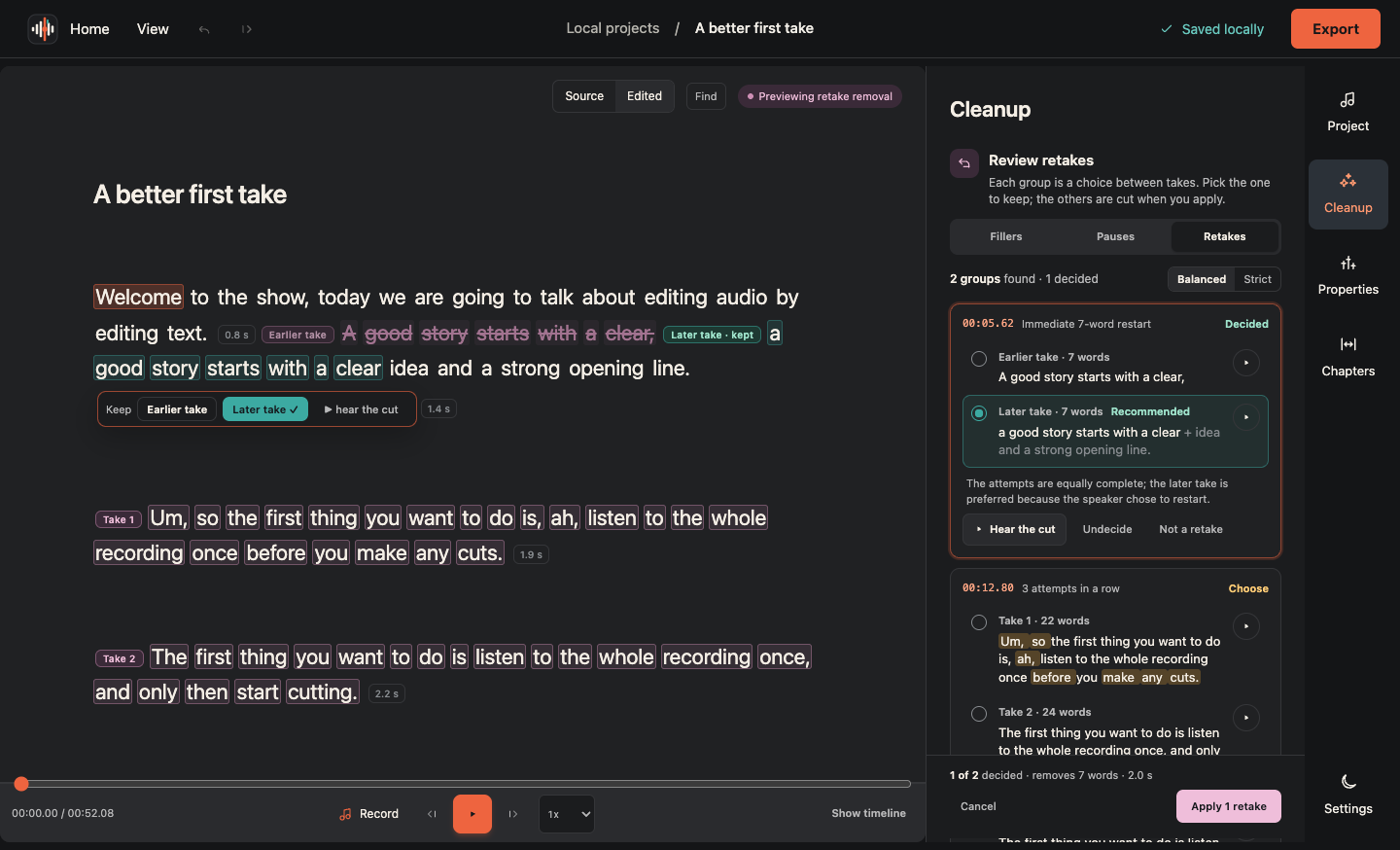
Retake review finds real restarts, even long ones or ones after "sorry, let me redo that". Play each take, see what differs, keep one.

A live waveform and a zoned level meter show your gain before the take. Pause, resume, and keep every take until you choose.

Export WAV, MP3, transcript text, EDL, or Final Cut XML. Your audio stays on your computer.

Select a phrase and rewrite it. The audio and its timing stay exactly as spoken; the edit is marked and reversible.

Turn them on in Settings: h j k l, sentence and paragraph motions, visual selection, d, c and r operators, counts, undo and redo.

Native installers built by the release workflow, and a source tree that runs on Linux with Python, Node and FFmpeg.

Free and open source under the MIT License.
Keep the copyright and license notice with copies.
MIT License

Copyright (c) 2026 ArtMoreno

Permission is hereby granted, free of charge, to any person obtaining a copy
of this software and associated documentation files (the "Software"), to deal
in the Software without restriction, including without limitation the rights
to use, copy, modify, merge, publish, distribute, sublicense, and/or sell
copies of the Software, and to permit persons to whom the Software is
furnished to do so, subject to the following conditions:

The above copyright notice and this permission notice shall be included in all
copies or substantial portions of the Software.

THE SOFTWARE IS PROVIDED "AS IS", WITHOUT WARRANTY OF ANY KIND, EXPRESS OR
IMPLIED, INCLUDING BUT NOT LIMITED TO THE WARRANTIES OF MERCHANTABILITY,
FITNESS FOR A PARTICULAR PURPOSE AND NONINFRINGEMENT. IN NO EVENT SHALL THE
AUTHORS OR COPYRIGHT HOLDERS BE LIABLE FOR ANY CLAIM, DAMAGES OR OTHER
LIABILITY, WHETHER IN AN ACTION OF CONTRACT, TORT OR OTHERWISE, ARISING FROM,
OUT OF OR IN CONNECTION WITH THE SOFTWARE OR THE USE OR OTHER DEALINGS IN THE
SOFTWARE.